Konstellation
Enhancing user understanding of data incidents with an impact analysis redesign on the Konstellation Dashboard.
Overview
Role
Design Lead working closely with both Founders
Tools
Figma, Figjam, Miro, Slack, Jira
Timeline
July - August 2024
Context
Konstellation Data is an early-stage startup developing a machine learning-driven data observability SaaS tool. The Konstellation dashboard detects, prioritizes, and alerts data teams to anomalies across their data pipeline. During my time there, I contributed by adding key features to the platform, informed by direct user feedback, to enhance functionality and user experience.
Problem
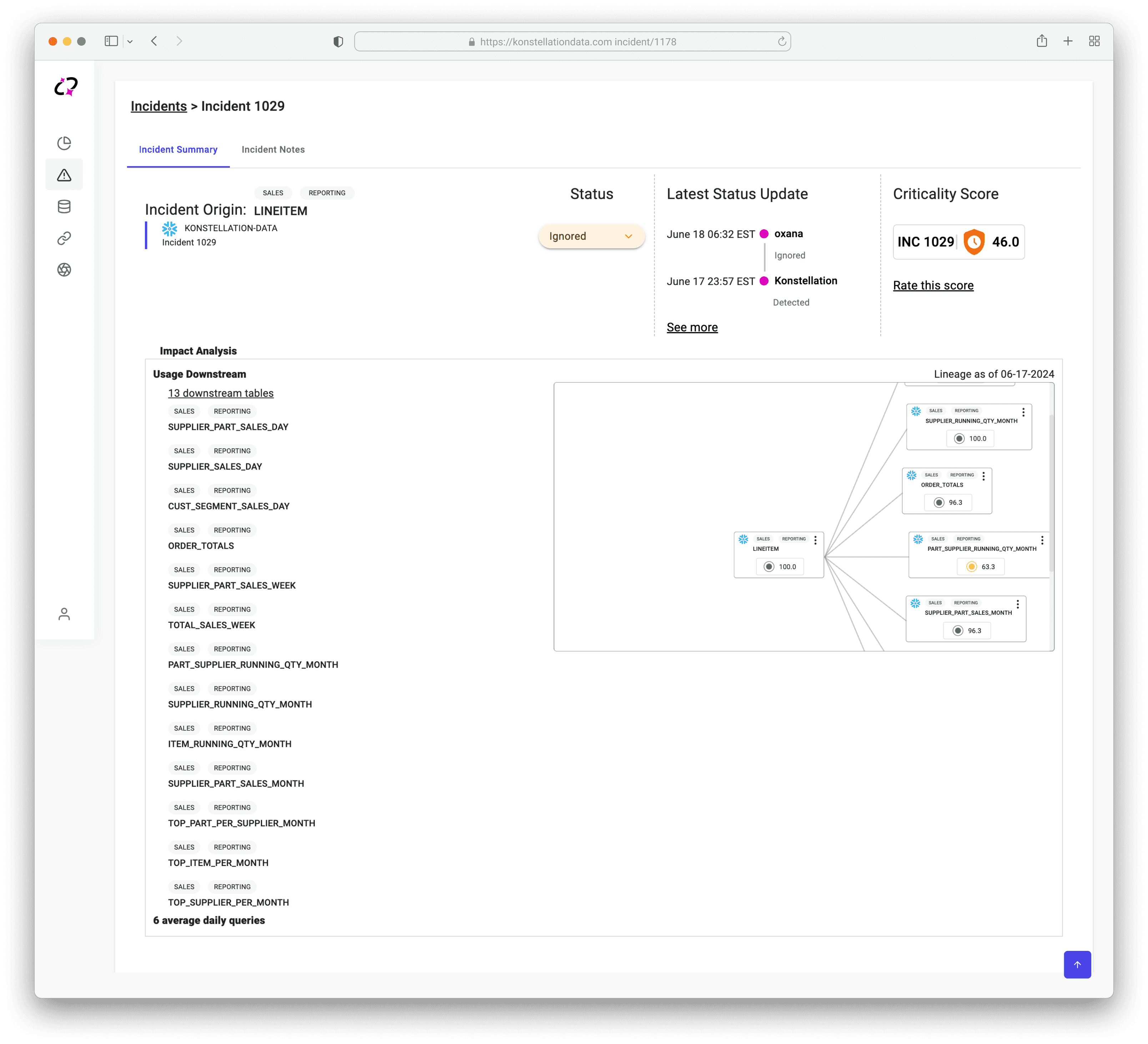
Konstellation’s unique value lies in its ability to detect data anomalies, prioritize incidents by severity, and equip data teams with actionable insights. However, the current design falls short in bridging detection with meaningful guidance, offering users only a surface-level notification of incidents. Without clear indicators of impact, urgency, or next steps, users struggle to understand the full context or take effective action based on the detected anomalies. This gap limits the platform’s potential to support data teams in managing and resolving issues efficiently.
Solution
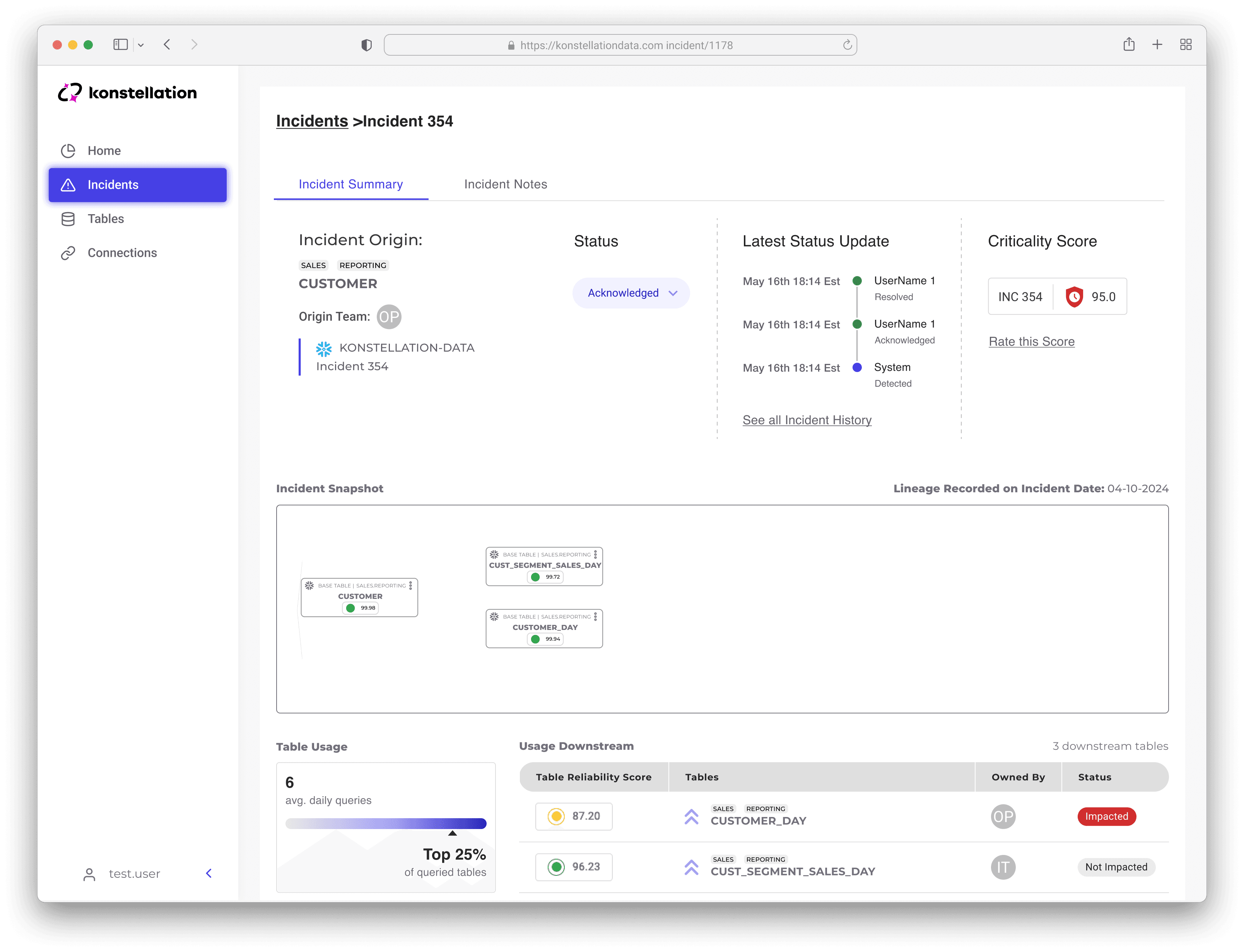
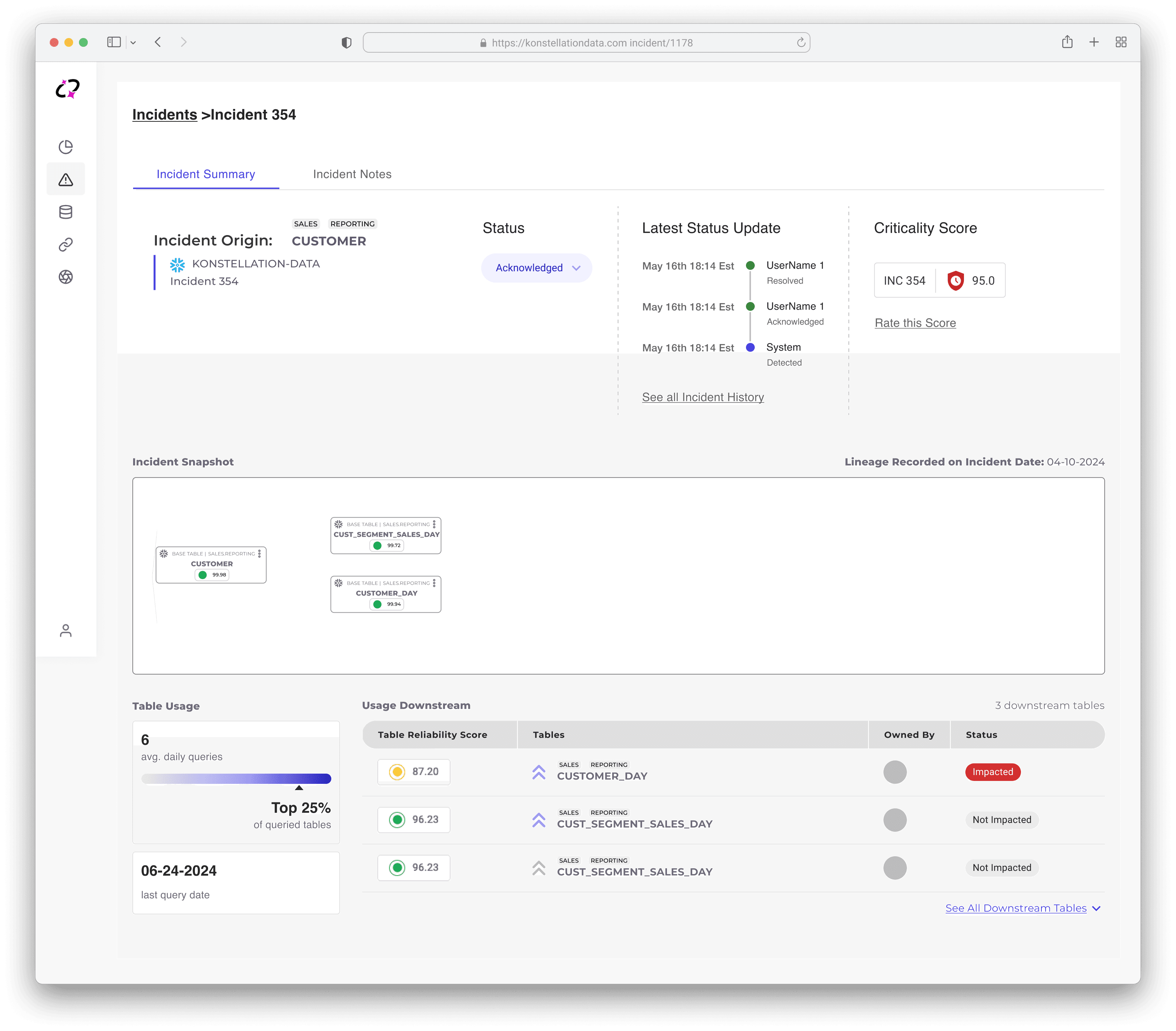
I redesigned the impact analysis with enhanced data visualization and a clear hierarchy, enabling users to quickly identify priorities and make informed, timely decisions based on Konstellation's diagnoses.
Before
After
How does the current design prevent data engineers from responding effectively to data issues?
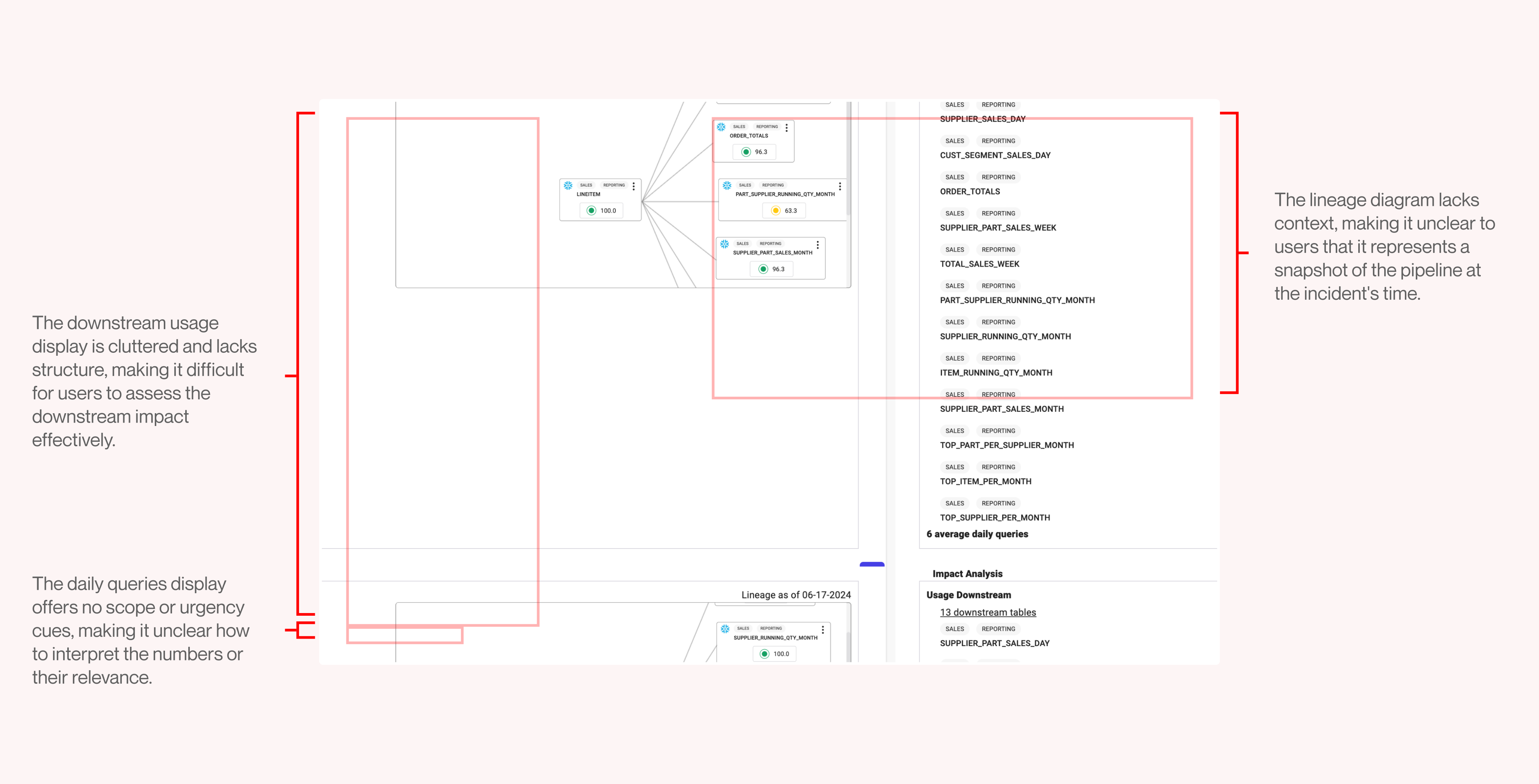
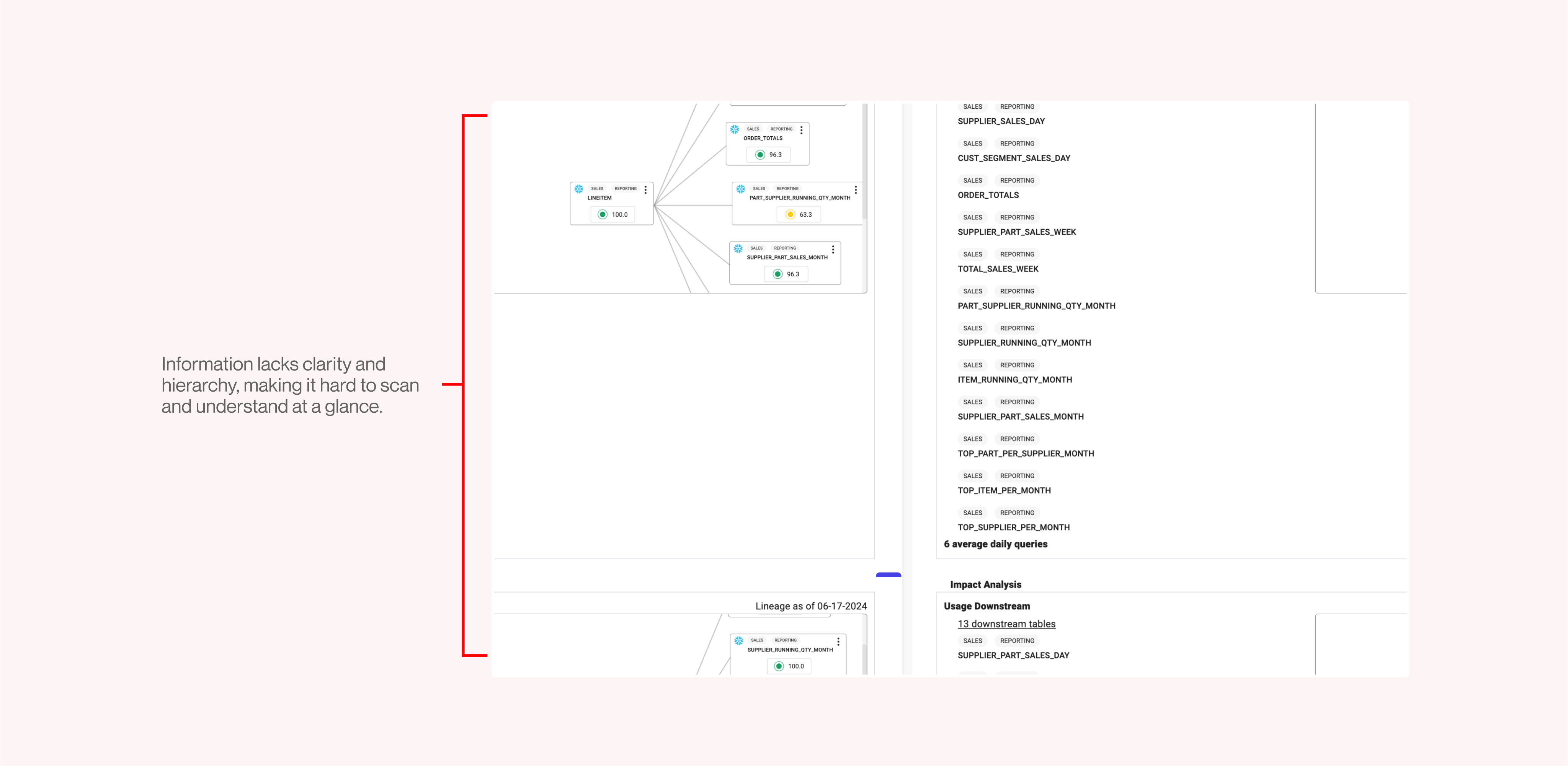
By conducting a design audit and analyzing user feedback, I identified two key problems in the current design: cluttered, context-lacking visualizations and a lack of hierarchy. These insights helped pinpoint the areas that hinder data engineers' ability to effectively respond to data issues.
Problem #1: Cluttered and Context-Lacking Visualizations

Actionable Guidance
The current design provides no clear direction for users on next steps during upstream delays, such as which team to contact or specific actions to take when a pipeline fails.

Context
Key metrics, such as 'average daily queries,' lack context to indicate their severity or relevance, leaving users uncertain about the urgency of the issue and how it relates to the incident at hand.
Problem #2: Hierarchy

Readability
The design’s data displays are difficult to interpret at a glance, with the lineage diagram in particular lacking clear labels and context, leaving users uncertain about its purpose and relevance to incidents.
Design Explorations: Bridging the gap between detection and guidance
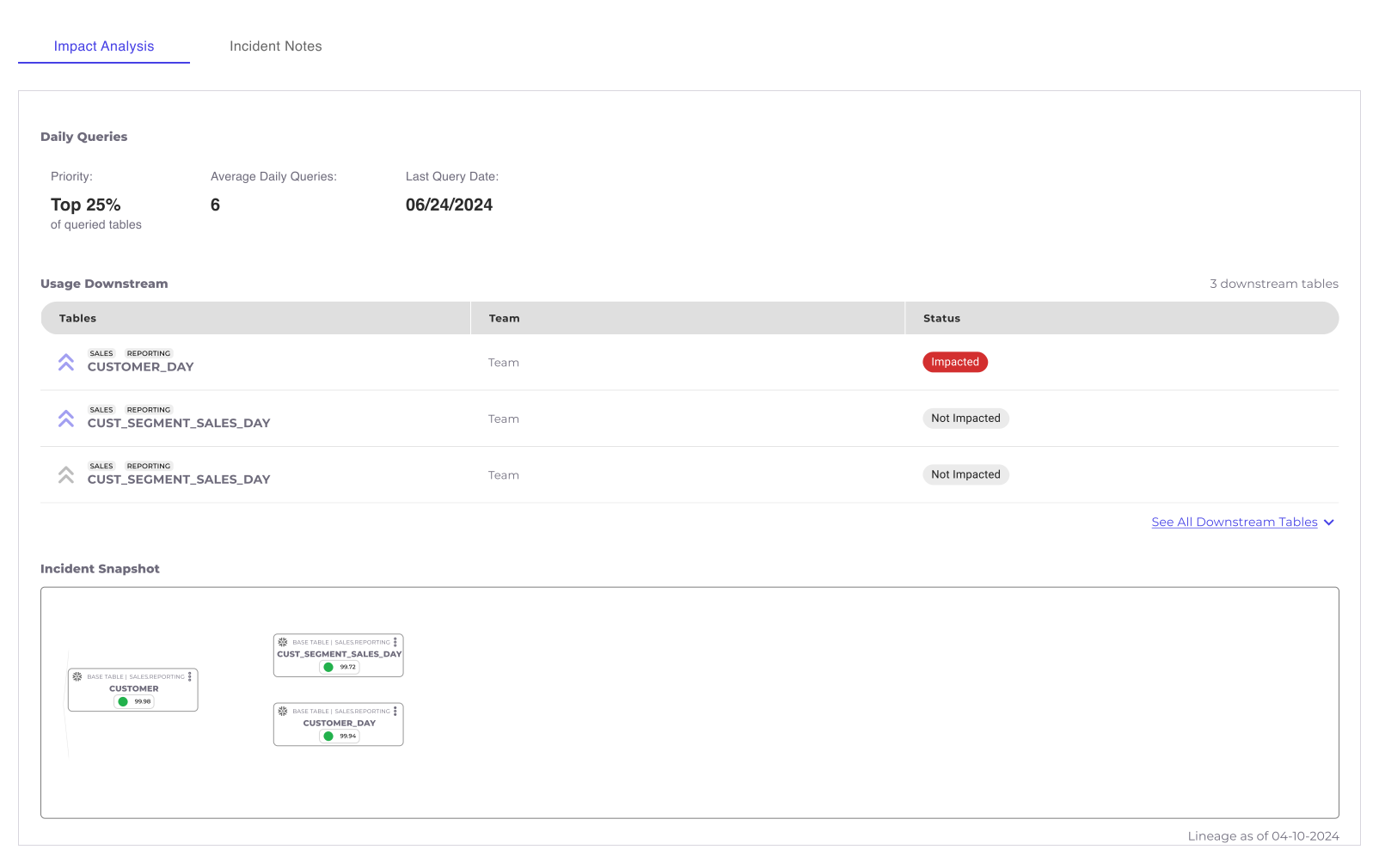
Exploration #1: Familiar layout with improved data visualization
✅
What worked
Keeping the existing layout maintains a sense of familiarity for users, ensuring they could navigate the interface with ease while focusing on the improved data clarity
Presenting downstream usage in a structured table format, including impact status, greatly improves readability and helps users quickly identify which tables are affected
The title 'Incident Snapshot' clarifies the purpose of the lineage diagram, helping users understand its context without requiring changes to the diagram itself
❌
Why it didn't work
Limits scalability for future features, such as adding team ownership details for tables
Although the daily queries visualization was enhanced, it still fell short in effectively conveying priority
Space utilization remained inefficient, limiting the design's overall effectiveness
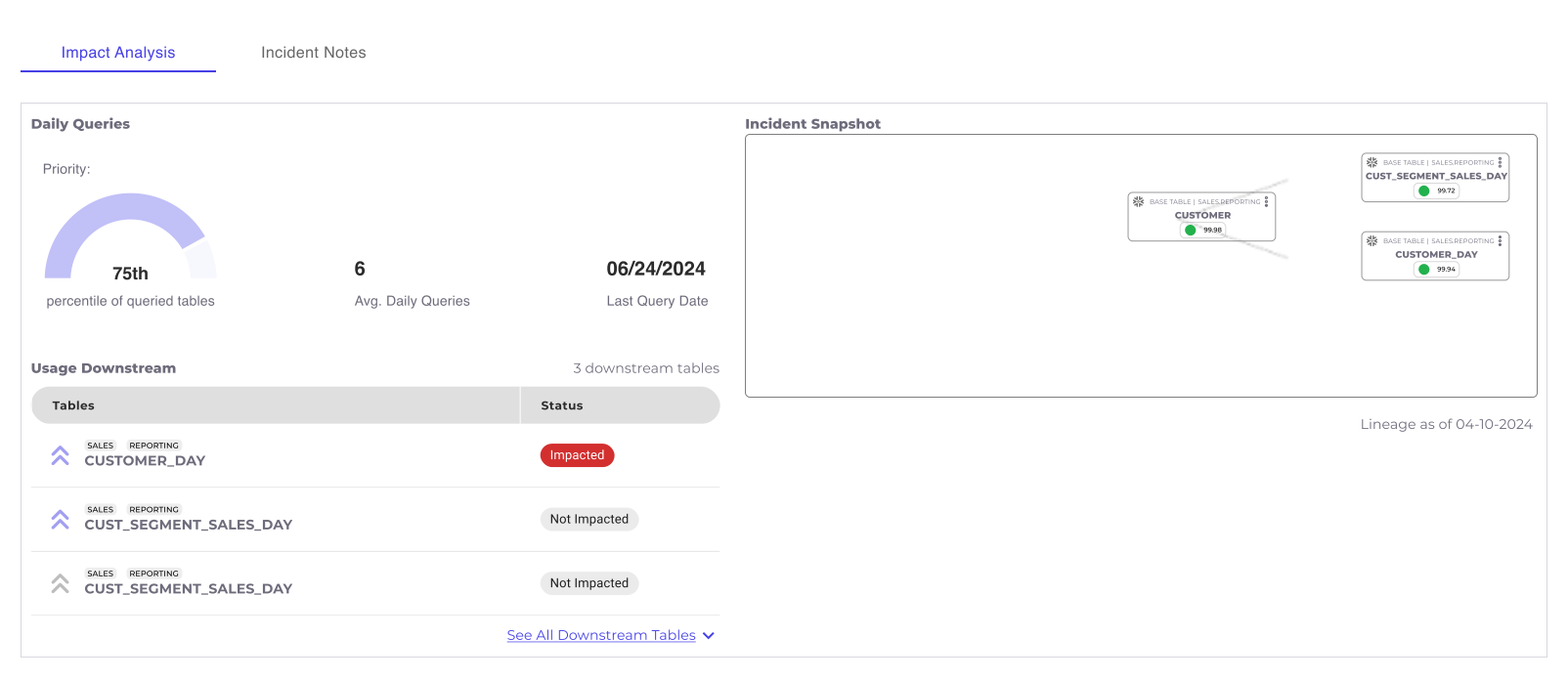
Exploration #2: Emphasis on hierarchy so users can focus on what's most important
✅
What Works
The vertical hierarchy enables users to quickly scan the information, prioritizing key details at a glance and identifying what matters first
Accommodates scalability, particularly the teams feature
Displaying the query data as a percentage, rather than a percentile, provides a clearer and more intuitive representation, making it easier for users to understand and interpret the information
❌
What Doesn't Work
We identified the incident snapshot as the most critical piece of information and decided to prioritize its placement to ensure it is presented first
We recognized the need to include a visual representation for the queried tables to enhance user understanding
The downstream usage table occupied excessive space, creating a visually unbalanced layout with unnecessarily wide columns
Exploration #3: Combining Hierarchy and data visualization
🎯
Winner!!
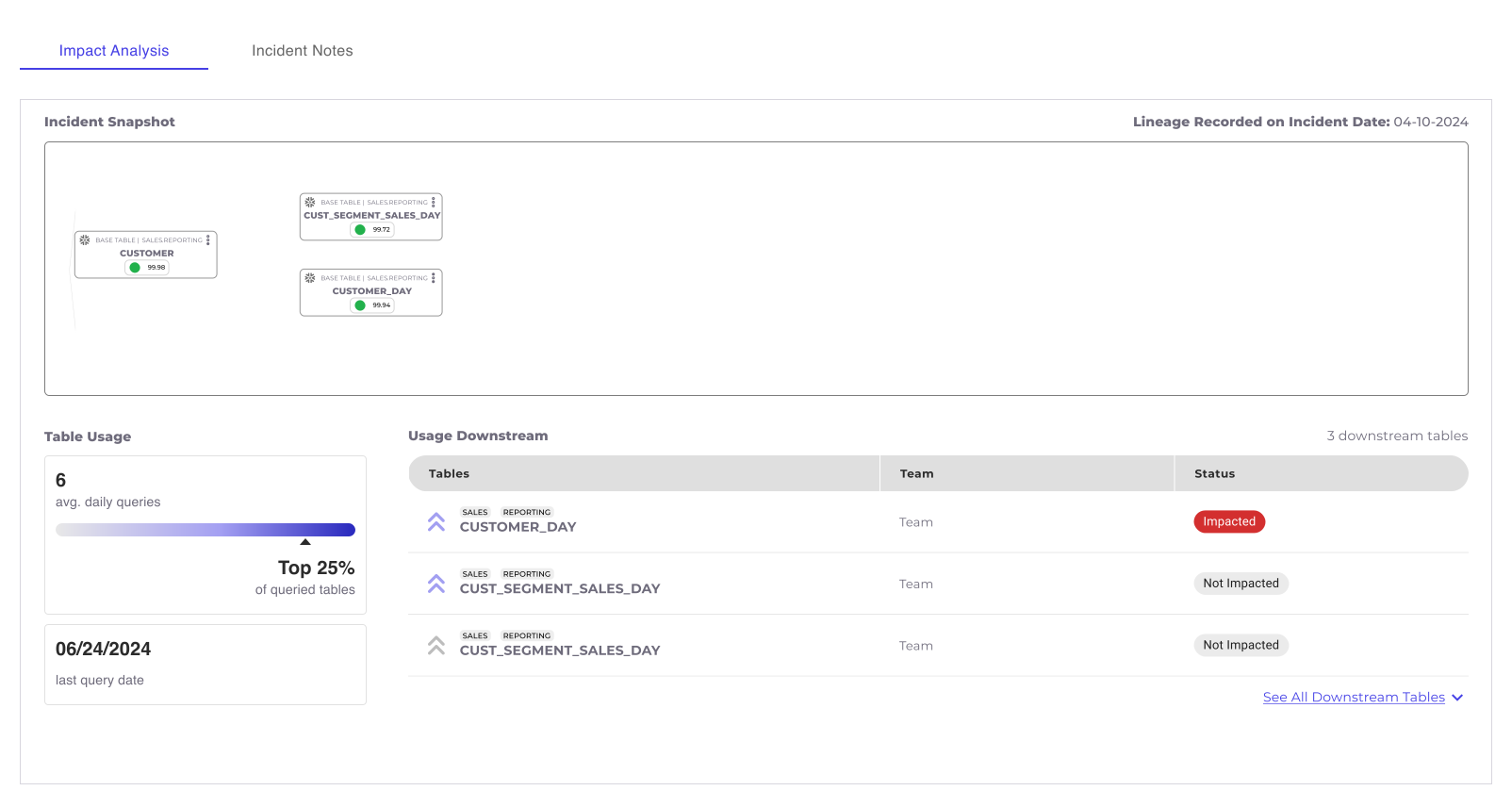
Prioritization of Critical Data: The incident snapshot is prominently presented first as it is the most critical information. Clear and intuitive labels ensure users immediately understand what they are viewing.
Quick Scanning and Actionability: Users can quickly scan the snapshot to assess the incident and then dive deeper into actionable insights. Supporting data below, such as daily queries, last query date, and the percentage of queried tables, provides a clear sense of scale and urgency.
Structured and Actionable Downstream Usage Table: The downstream usage table is cleanly structured, showing relevant details such as impacted tables and their respective teams (planned future feature). Users can also click directly on a specific table to navigate quickly, streamlining their workflow.
Final Design